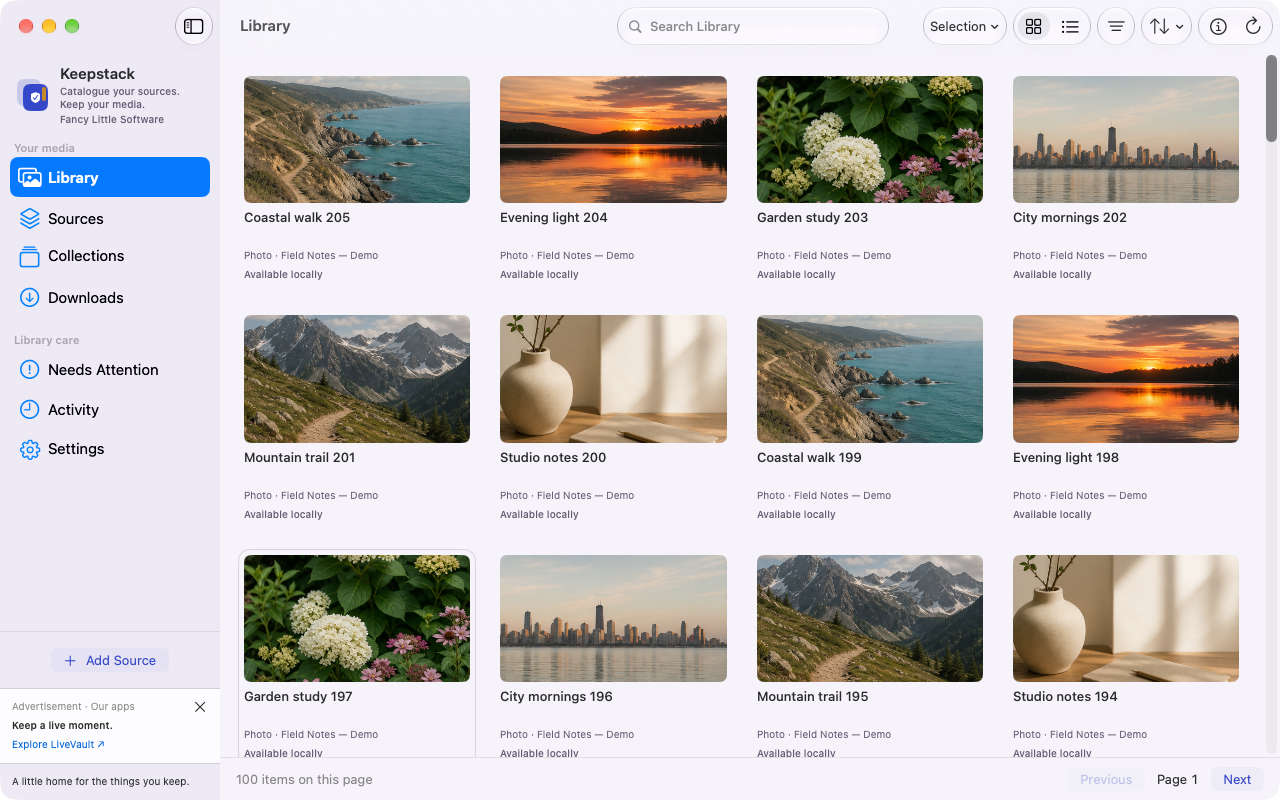
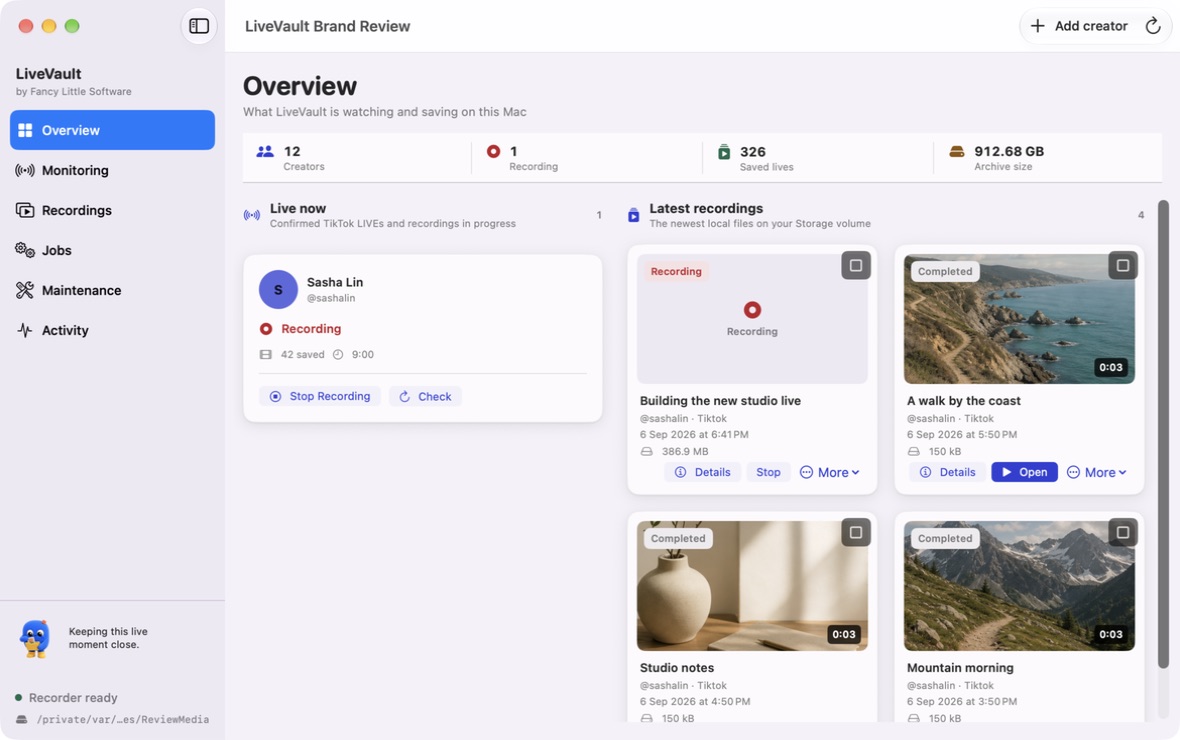
Keepstack catalogues local files and supported sources. StreamLatch discovers public Twitch and Kick streams and records supported broadcasts locally as a separate app.
Two apps. Two different jobs.
What would you like to keep?
Keepstack catalogues your media. StreamLatch discovers live streams and records supported broadcasts locally.
Keepstack · Media library
Your media. A little more together.
Collect media from local folders, VK, Telegram and supported web sources such as public Bunkr albums. Preview what you want to download, then organise your files into a searchable library with their source details intact.
Local files · VK · Telegram · Supported web sources
CollectReview sources and choose the files worth keeping.
OrganiseBring titles, artwork and source context together.
RediscoverSearch your library and make collections of favourites.
Choose Keepstack for a growing collection of files and supported sources.
A one-time offer. Keepstack is a separate one-time purchase. Existing purchase commitments remain unchanged.
Files on your own storage. Keep media on your computer or a connected drive. An off-site cloud library is optional.
A collection that stays with you. Saved files do not have a hosted-library retention timer. Keep a separate backup for long-term safekeeping.
StreamLatch · Discovery & local recording
Find it live. Keep it on your Mac.
Browse public Twitch and Kick listings without a product or provider customer login. Watch on the provider, save or monitor a creator, and record supported broadcasts you have permission to keep.
Twitch discovery · Kick discovery · Supported local recording
DiscoverFilter current public listings without creating an account.
ChooseWatch, Save, Monitor, and Record remain separate intents.
RecordRecheck accessible sources through the local recorder.
KeepKeep your recordings and catalogue together on storage you choose.
Choose StreamLatch for public discovery plus a native local recording and library workflow.
Your saved files remain yours to access. StreamLatch plans cover ongoing paid operations. Expiry does not delete your recordings. Existing purchase commitments remain unchanged.
Files on your own storage. Keep media on your computer or a connected drive. An off-site cloud library is optional.
A collection that stays with you. Saved files do not have a hosted-library retention timer. Keep a separate backup for long-term safekeeping.
Price & features
A little app. A clear choice.
Keepstack · Direct pricing
US$39one-time purchase
Review availability and the full purchase terms before continuing to PayPal.
Local capture state, playback, notes and bookmarks
Keep the files. Choose the home.
Keep the moment beyond the stream.
Your saved files remain yours to access. StreamLatch plans cover ongoing paid operations. Expiry does not delete your recordings. Existing purchase commitments remain unchanged.
Files on your own storage. Keep media on your computer or a connected drive. An off-site cloud library is optional.
A collection that stays with you. Saved files do not have a hosted-library retention timer. Keep a separate backup for long-term safekeeping.
Use both when you collect across worlds: Keepstack for your media library, StreamLatch for the moments that happen live.
Desktop or cloud?
A different way to keep.
Keepstack catalogues files and supported web sources. StreamLatch discovers public Twitch and Kick listings and records supported broadcasts on your computer. StreamRecorder is a cloud recording service: useful when you want recording handled away from your desktop.
What matters to you
Keepstack & StreamLatch
StreamRecorder
Payment
Keepstack: one-time purchase. StreamLatch: monthly or yearly subscription.
Free tier and paid recurring subscriptions.
Where media lives
Files on storage you choose; no required hosted media library.
Recordings stored on its servers, with full-file downloads available.
Keeping a lasting copy
You manage disk space and separate backups. Saved local files have no cloud retention timer.
Hosted storage and usage limits depend on the plan. Download files to keep your own copy.
Recording while your computer is off
StreamLatch needs the app running, your computer awake and storage available. Keepstack is a media library.
Cloud recording runs independently of your desktop.
Comparison checked 7 September 2026 using StreamRecorder’s FAQ and subscription terms. Provider plans can change.
Your next little discovery
Get to know your keeper.
Three little discoveries. Explore at your own pace.