Look before you download
Review a source’s catalogue, narrow it down, and choose the items you actually want. A source is not an instruction to download everything.
Mosaic · Media library · VK & Telegram
Bring local files, VK and Telegram into a searchable media library that remembers where everything belongs.
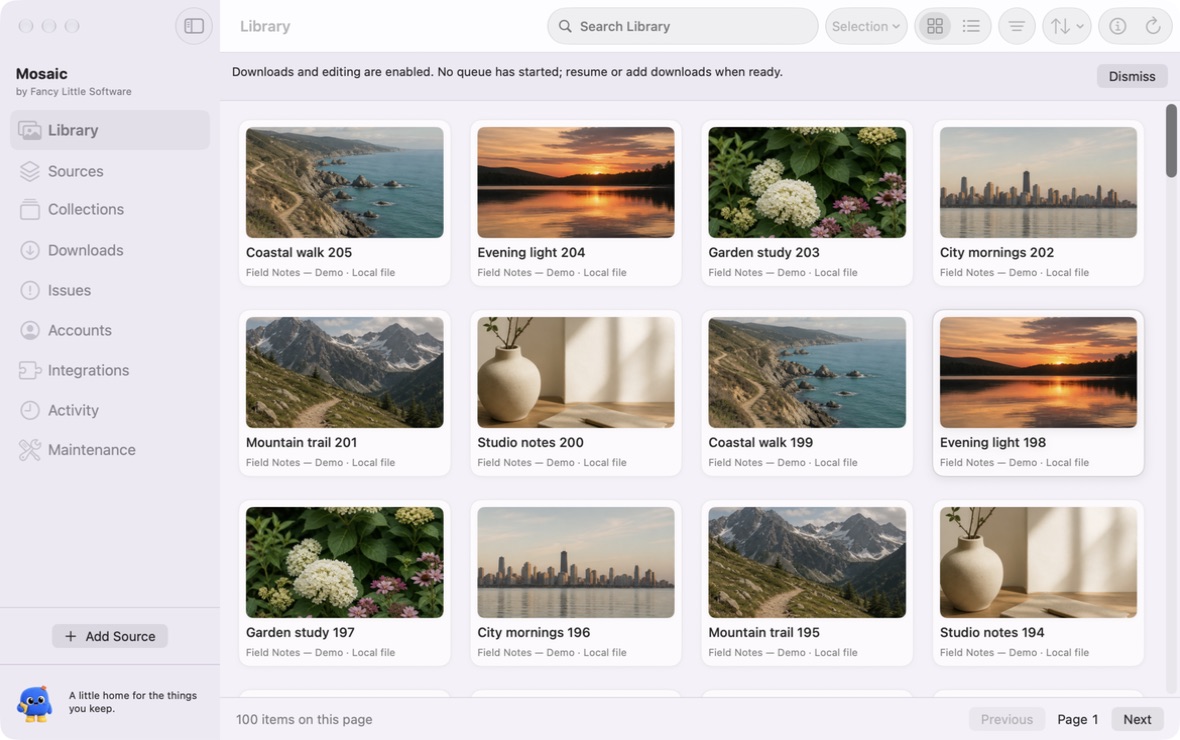
A little more collected
For the clips, collections and curious little finds you want to come back to. Mosaic connects your files with their sources, descriptions and collections, so your archive can make sense long after the download.
Inside Mosaic
Real screens from the macOS demo build. These show Mosaic’s VK and Telegram setup, before an account is connected.
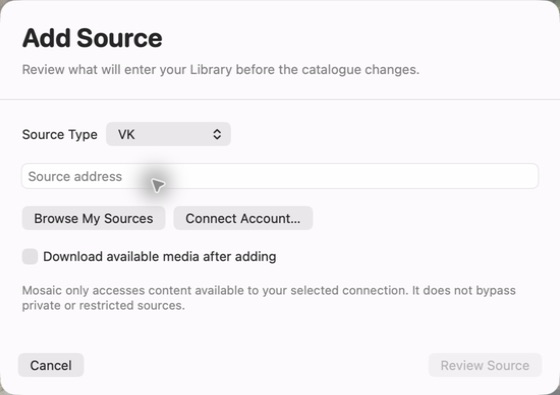
Choose a source address, browse your sources or connect your account. Review the source before it enters your library.
Actual demo screenshot · Click to enlarge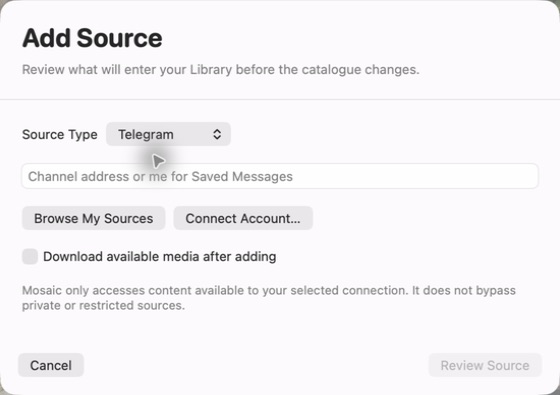
Add a channel address or use Saved Messages. Keep the source context alongside the media you collect.
Actual demo screenshot · Click to enlargeA little hands-on moment
Pick your favourites, give them a home, then find them again. This small sample collection never touches your own files.
No finds match that search. Try another word or clear it.
Select the sample finds you’d like to keep, then make a collection.
Mosaic · Planned pricing
Purchasing is not open yet. Final pricing and release availability will be confirmed before launch.
Keep the files. Choose the home.
Review a source’s catalogue, narrow it down, and choose the items you actually want. A source is not an instruction to download everything.
Keep source context, descriptions, artwork and file locations with your media. Use grid or list views to browse in the way that suits the collection.
Search titles and metadata, filter by source or type, and bring related items into collections. A filename does not have to tell the whole story.
Keep an eye on queued and active downloads. See which items need attention and retry affected work without starting the entire collection again.
Catalogue media you already have. Importing a catalogue entry does not mean moving or deleting your original file.
Choose a local or connected external destination. A cloud-synced folder can hand finished files to your sync client; it is not direct-to-cloud capture.
Connections, with context
Local folders, VK, Telegram and public Bunkr sources. Availability varies by source, account access and provider changes. Mosaic does not bypass access restrictions.
A source that opens in a browser may still need authentication or a supported download method. Review permissions and source availability before planning a large batch.
Connection troubleshootingHere’s to your next favourite thing.
Your next little chapter starts here.
Read the Mosaic guideThree little discoveries. Explore at your own pace.
Two apps. Two different ways to keep.
A hands-on taste, right here in your browser.
From your first step to your next collection.
Try the browser demos, explore planned pricing, or check the latest release availability.